Supercharge your property managers.
Every property, unit, and work order on one map.
Tenant requests become routed work orders, preventive maintenance runs on schedule, and owners get reports they can read. Built for property management companies and portfolio operators.
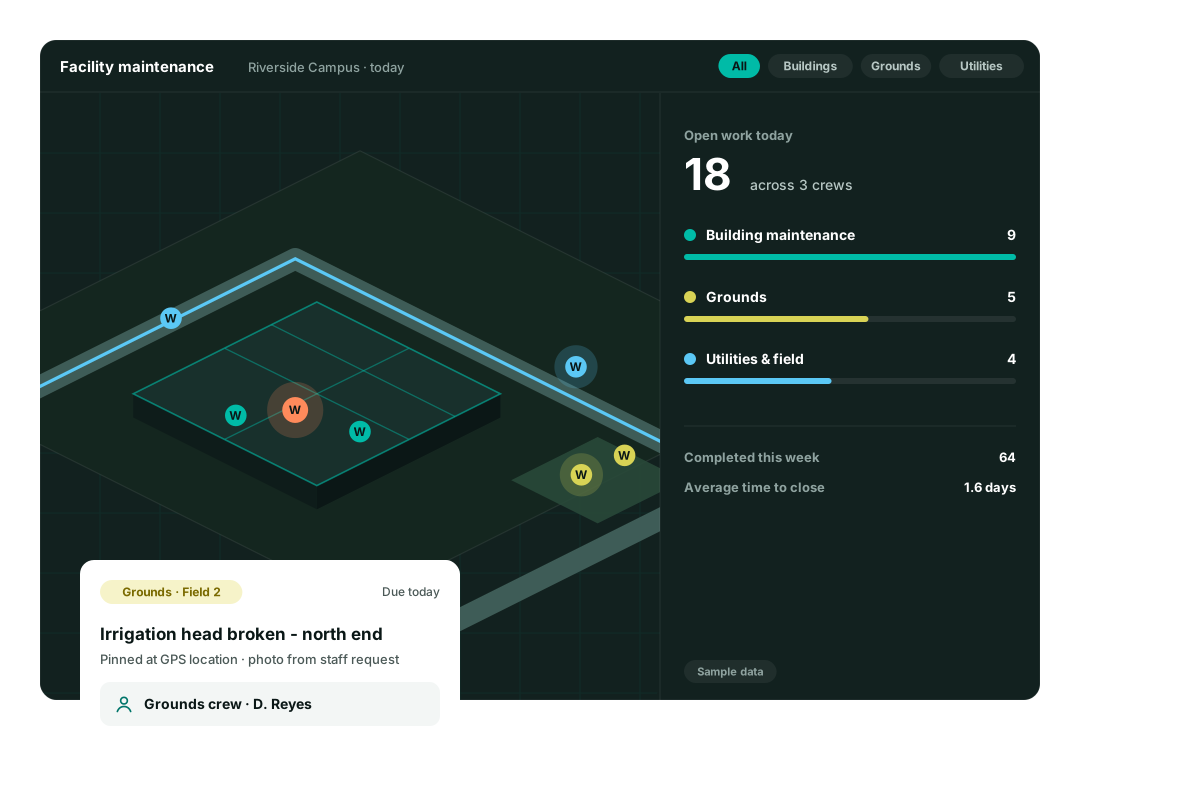
Run the whole portfolio from one place.
Properties, buildings, units, and the work behind them, for the teams who manage buildings for owners.
One view of the whole portfolio
Start with the map of your properties, then open a building. The unit, the mechanical room, and the roof are places on the floor plan, and each asset is pinned to the space it actually sits in.
- Every property on one map
- Floor plans from the building down to the space
- Assets pinned to the unit, the room, or the site
- Grounds and site systems on the same record as the building
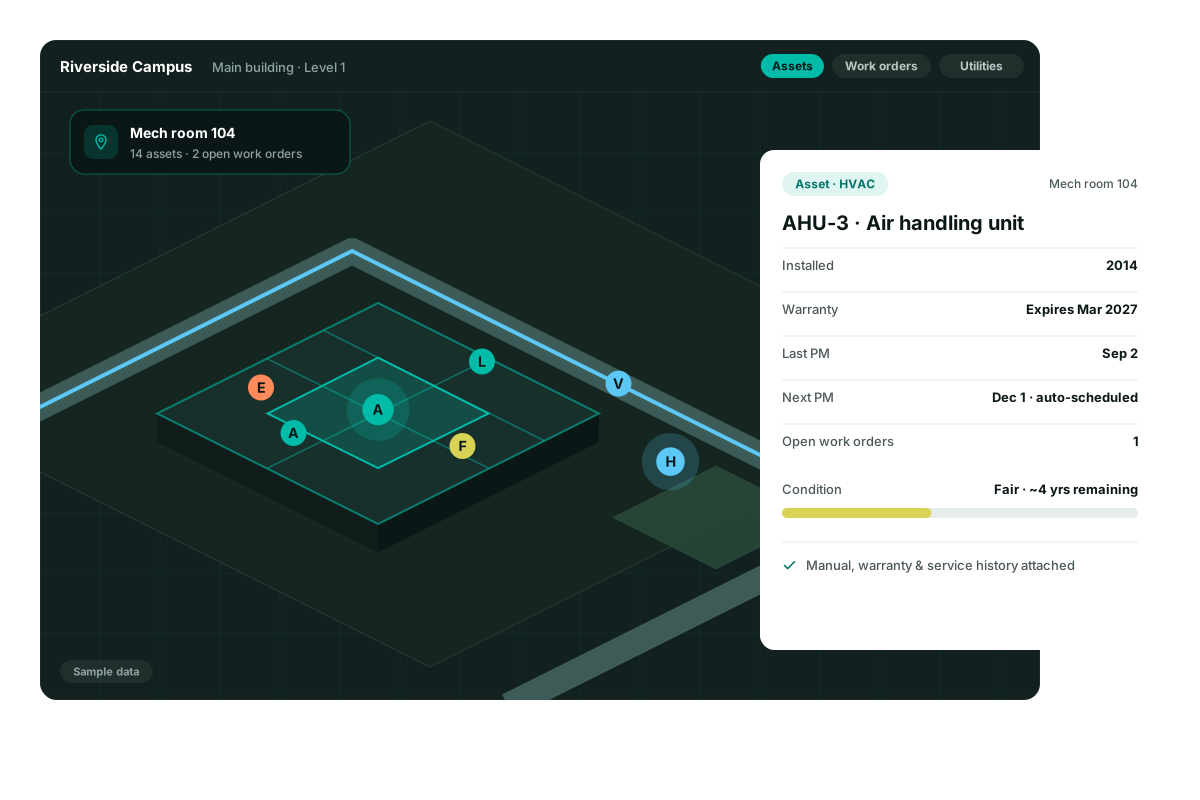
From request to a closed job
A request comes in and becomes a tracked work order, routed to the people who cover that property. They see the place, close it with a photo, and the history stays on the asset.
- Requests become assigned work orders
- The job routes to the right crew
- The technician sees the place, not just a ticket number
- Closing the job leaves a photo and a date on the asset
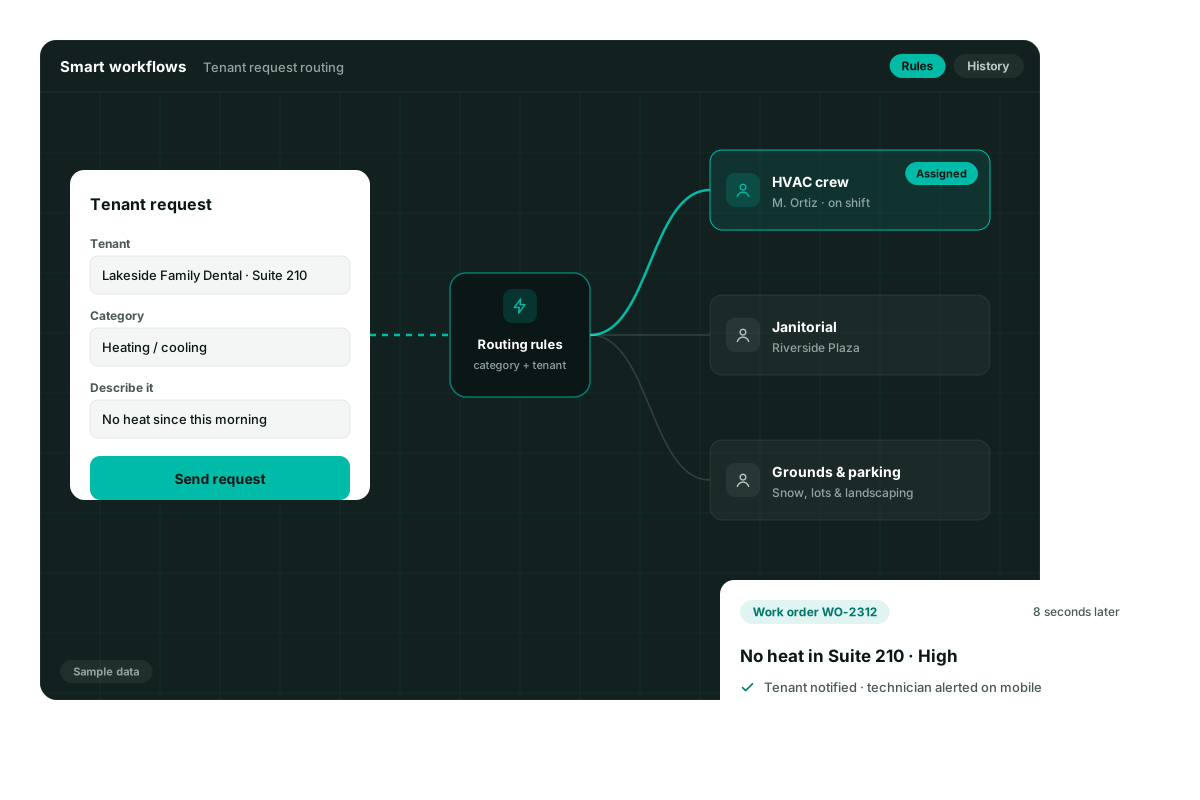
Preventive maintenance that protects value
The equipment that keeps a property leasable needs a schedule, not a memory. Repeating work stays on the asset, with a named person and a next due date, so the property holds its value.
- Recurring tasks for the equipment you already have
- A calendar across the properties you manage
- The finished PM stays on the unit
- The next due date is set when the job is done
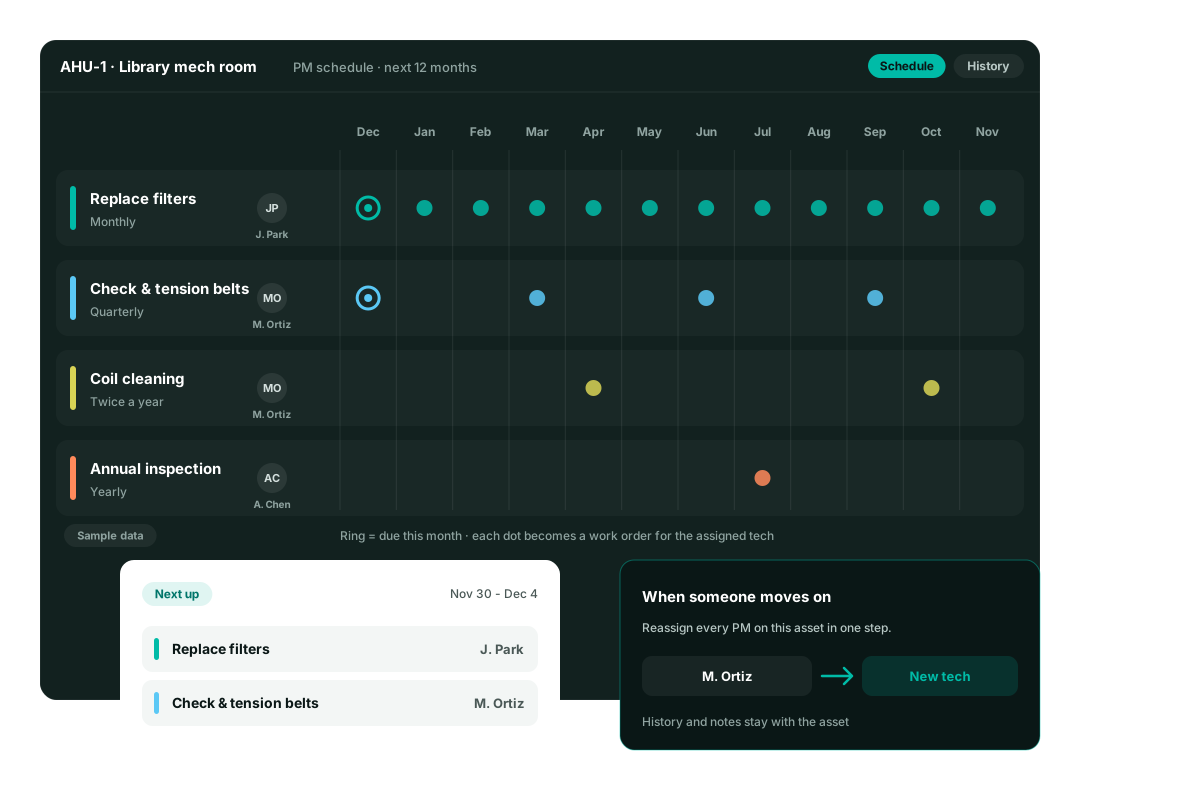
Accountability, with the history still on the asset
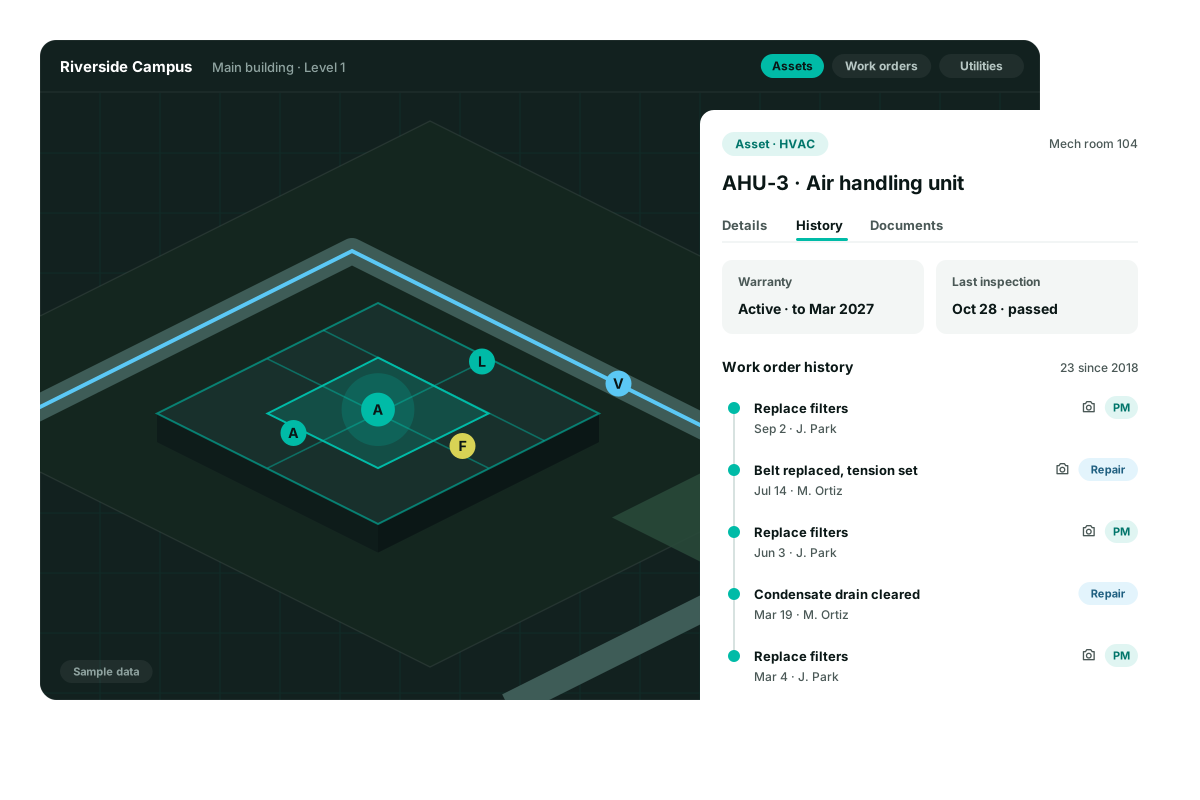
The job has a name on it. When a technician or a vendor closes it, the photo, the date, and the notes stay on that asset and that space. The next person starts from the record.
- Every job is assigned, not floating
- A timeline of work on the asset
- Warranty, last inspection, and past work orders
- Notes and photos that stay when people change
Reporting owners can read
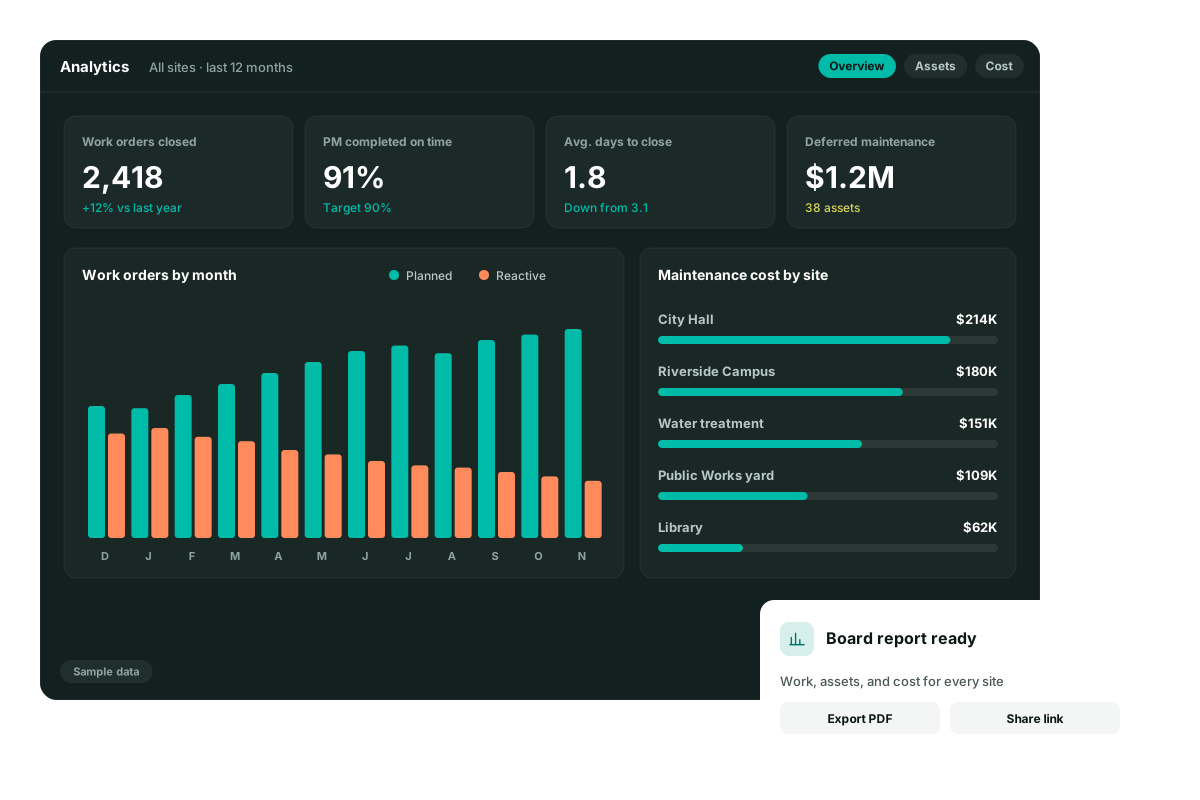
Owners ask what was done, what is waiting, and what it cost. Show planned work next to reactive work, and cost by property, from the jobs your team already closed.
- Planned, reactive, and deferred work
- Cost by property
- The same numbers the crews are closing against
- A total you can open back to the asset
Ask what is overdue at any property
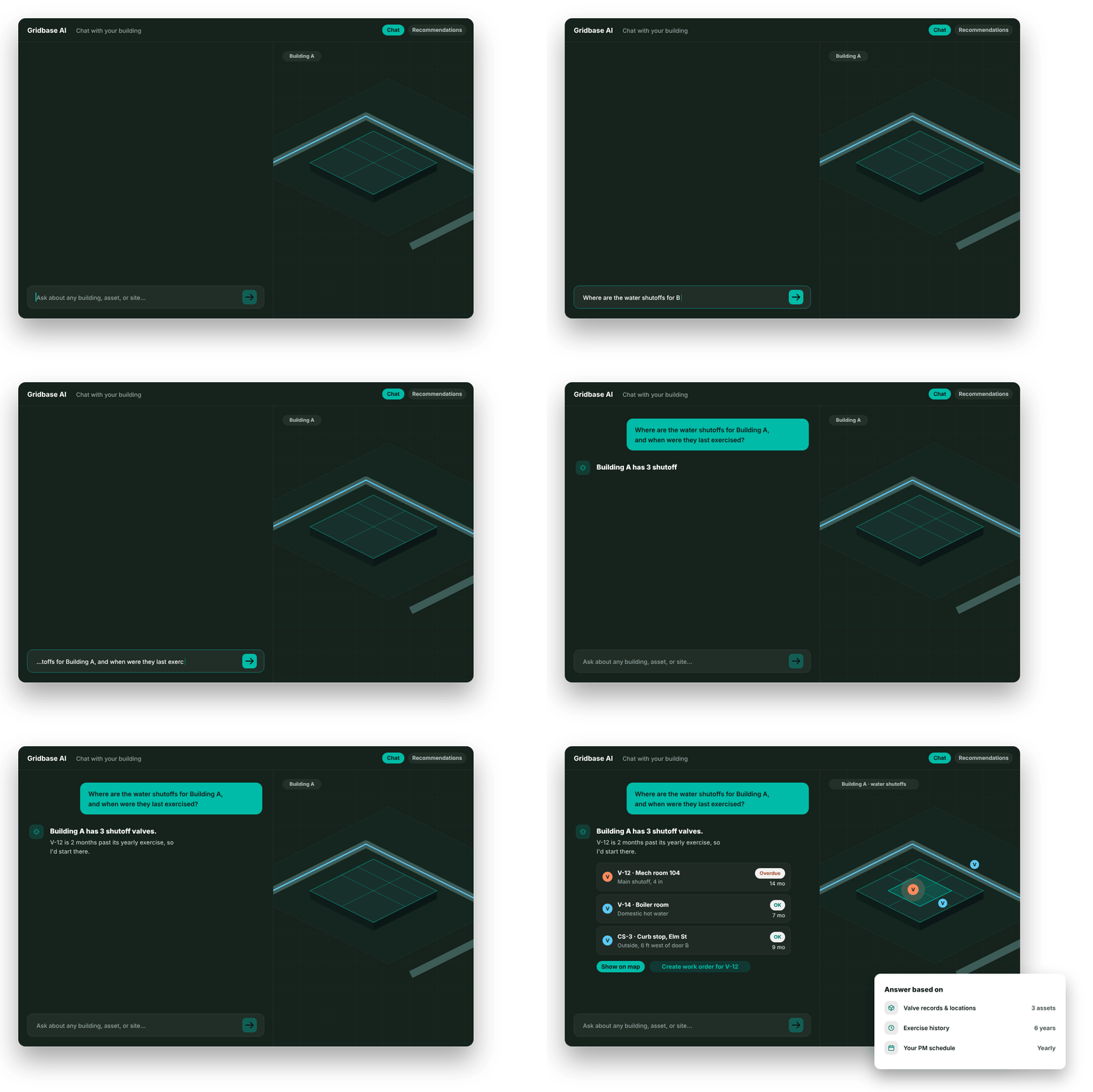
The copilot reads the assets, the history, and the schedule. Ask about a property in plain language. It ranks what should be first, says why, and can open the work order.
- Questions about a property, a building, or an asset
- Answers from the records you already keep
- A ranked list, with the reason
- A work order from the answer
The work, tied to the property
Maps, requests, maintenance, and the history owners ask for.
Portfolio map
Properties, buildings, and the spaces inside them on one map.
Requests to work orders
A request comes in, gets routed, and becomes a tracked job.
Preventive maintenance
Repeating work on the equipment that keeps a property open.
History per asset
Warranty, inspections, photos, and past work stay on the pin.
Owner-ready numbers
Planned work, reactive work, and cost by property.
A copilot on the property
Ask what is overdue. Turn the answer into a work order.
Questions facilities and public works teams ask us
Is Gridbase a CMMS?
Yes. Gridbase handles work orders, preventive maintenance, inspections, assets, and inventory like any CMMS. The difference is that everything is tied to its real location - on interactive 3D floor plans indoors and site and utility maps outdoors - so your team sees where work is, not just a list of it.
We don’t have good maps or floor plans. Can we still use it?
Yes - that’s most of our customers. Send us whatever you have - CAD files, GIS data, scanned PDFs, spreadsheets - and our team builds your indoor and outdoor maps and asset inventory during onboarding.
Does Gridbase handle outdoor assets and infrastructure?
Yes. Gridbase is an outdoor mapping platform used by 325+ customers. Hydrants, valves, water and sewer lines, signs, lighting, fields, and parking lots live on the same platform as your building assets, with the same maintenance and lifecycle tools.
Can we share maps with first responders?
Yes. Gridbase lets you share accurate, labeled digital maps with police, fire, and EMS - including the school-safety mapping many states now require.
What data can I import into Gridbase?
PDFs, spreadsheets, Excel, CAD files, shapefiles (SHP), and many other formats. Our data-migration tool does the heavy lifting, and if you're coming from another CMMS, we can import that data too.
How long does it take to get up and running?
Most teams are live within six weeks, often sooner. We build your maps, load your assets, and train your staff, so your team is working real work orders from day one, not running a pilot.