The request finds the crew.
Then it becomes a work order.
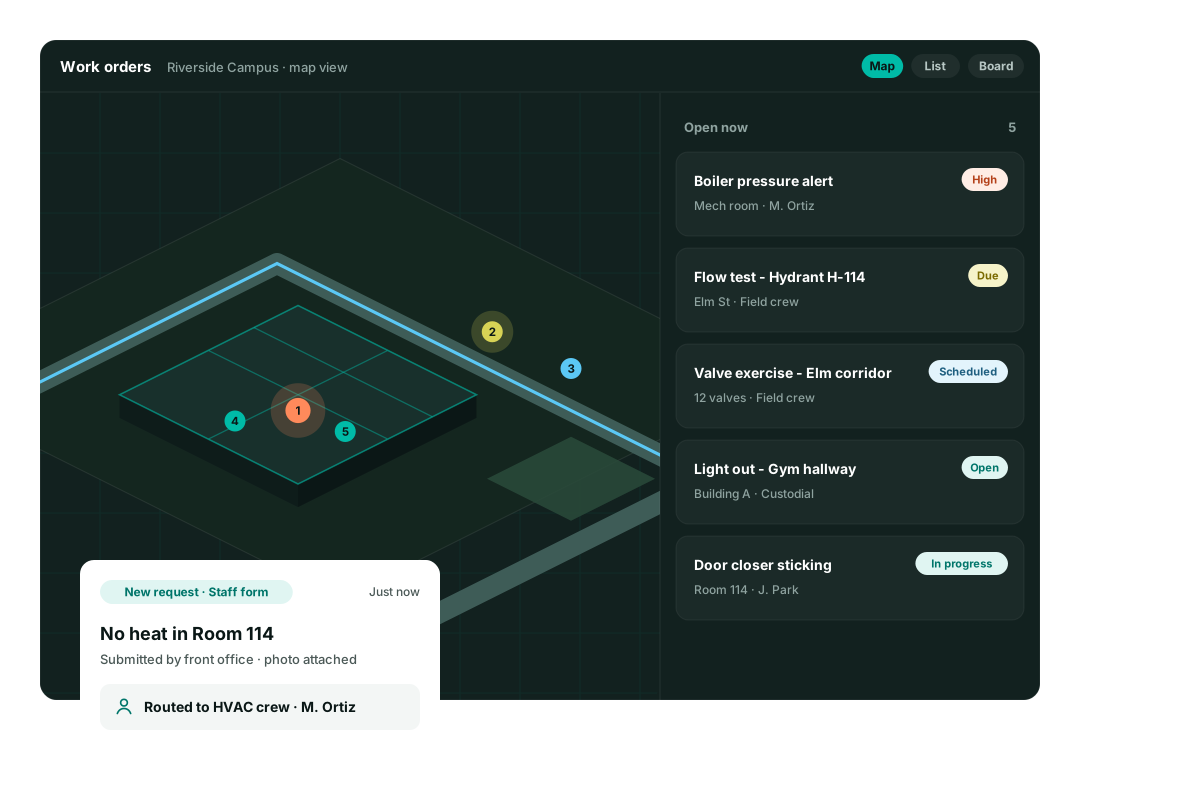
A staff form goes through routing rules and lands with the right people as an assigned job. You are not the switchboard.
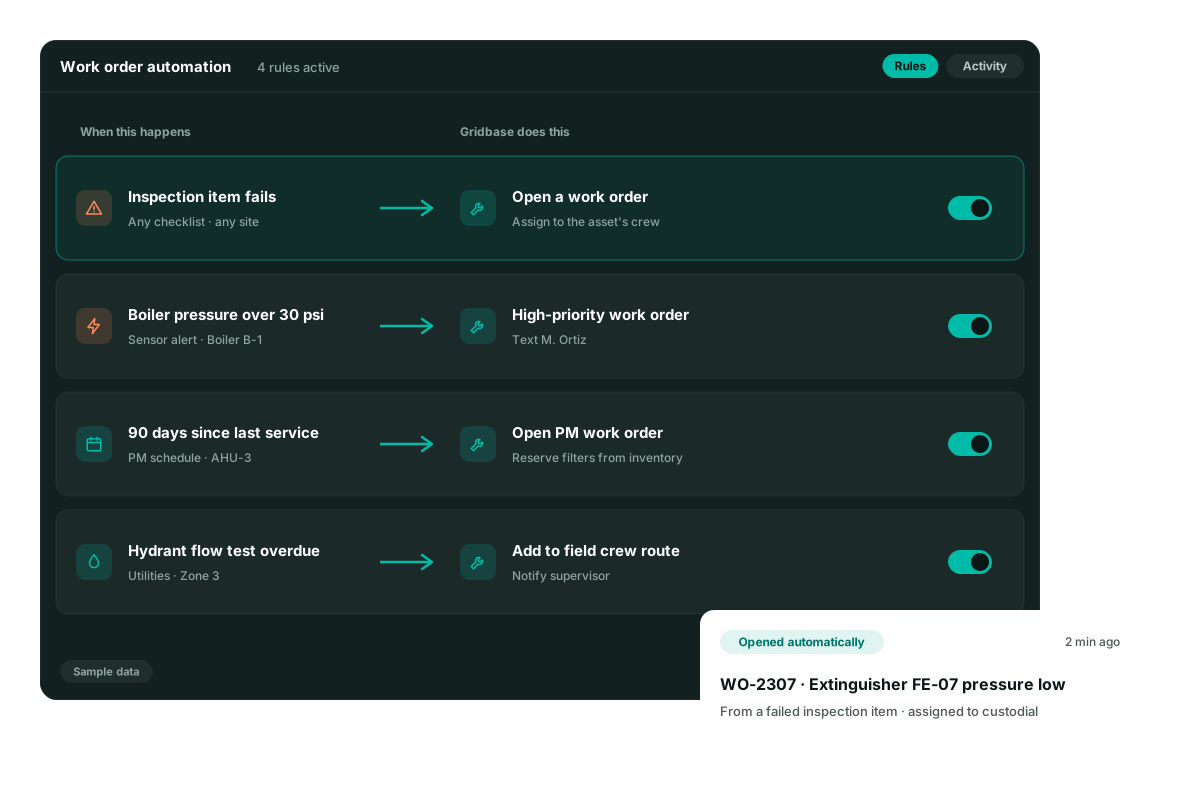
Rules for the work you already repeat
Requests, failed inspections, schedules, and overdue field tests.
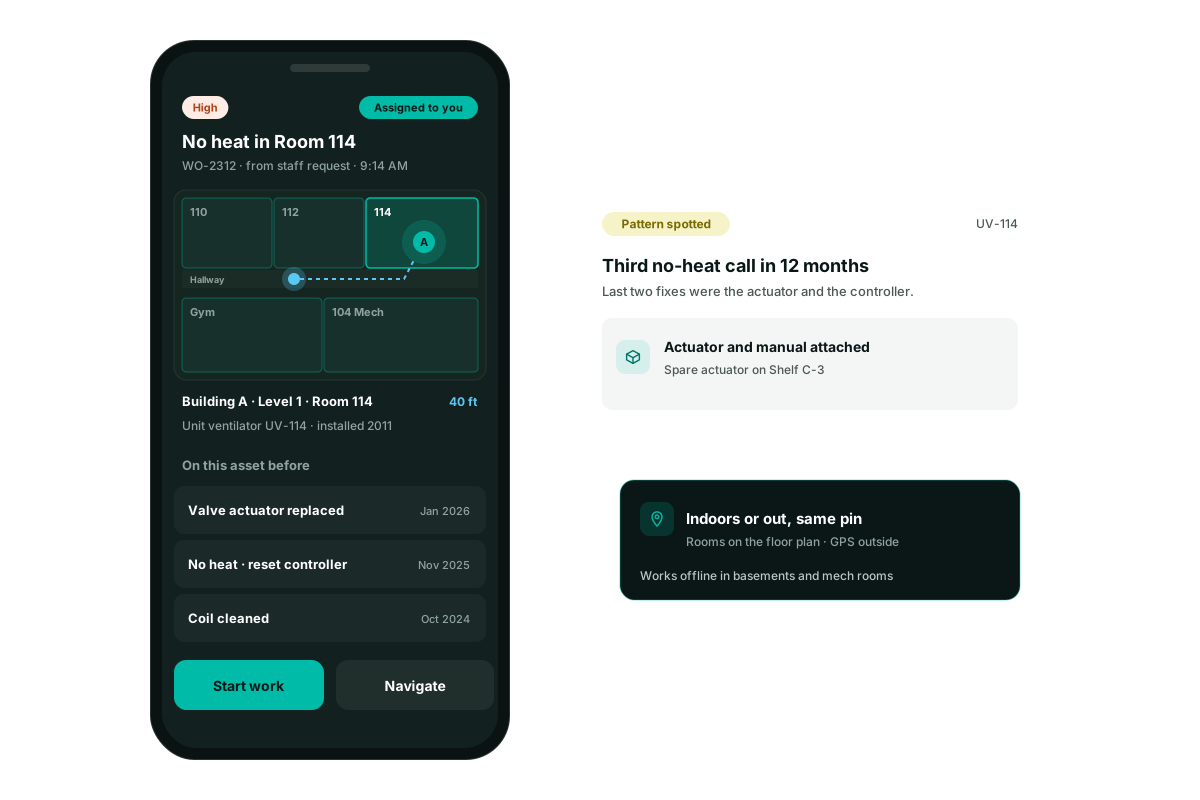
A form people will actually use
Staff report the problem without learning the CMMS.
Rules, not a dispatcher
Building issues and field issues go to different crews.
An assigned work order
The end of the path is a job with a name on it.
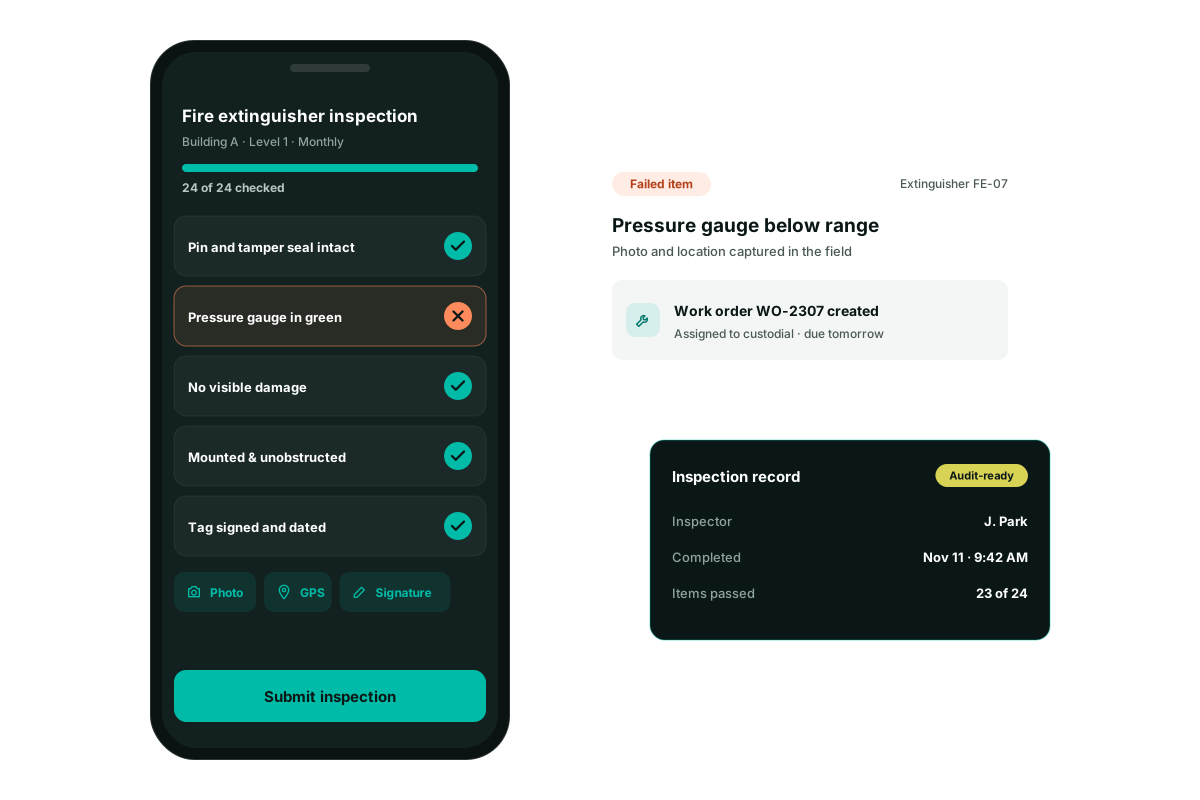
Opens from a fail
A failed inspection can open the work without a second entry.
Opens from the calendar
A due PM or an overdue field test can open the job.
Still on the map
The routed job keeps its room or its outdoor pin.
Why Choose This Solution
Discover the advantages that set us apart
Stop being the person who forwards email
The request form and the rules do the handoff. The crew sees an assigned work order.
- One form for staff
- Routing rules you can explain
- Building crews and field crews
- A job, not a forwarded thread
Let the repeat cases open themselves
Failed inspections, sensor-style alerts, maintenance schedules, and overdue field tests can open work orders by rule.
- A fail on a checklist opens the job
- A due PM opens the job
- An overdue field test opens the job
- The rule is visible, not buried in custom code
Keep the routed job on the map
Automation should not throw the work back into a list with no place. The pin stays.
- The room or the site is still attached
- The assignee knows where to go
- Indoor and outdoor requests use the same path
- The office can see what was routed today
Questions facilities and public works teams ask us
Is Gridbase a CMMS?
Yes. Gridbase handles work orders, preventive maintenance, inspections, assets, and inventory like any CMMS. The difference is that everything is tied to its real location - on interactive 3D floor plans indoors and site and utility maps outdoors - so your team sees where work is, not just a list of it.
We don’t have good maps or floor plans. Can we still use it?
Yes - that’s most of our customers. Send us whatever you have - CAD files, GIS data, scanned PDFs, spreadsheets - and our team builds your indoor and outdoor maps and asset inventory during onboarding.
Does Gridbase handle outdoor assets and infrastructure?
Yes. Gridbase is an outdoor mapping platform used by 325+ customers. Hydrants, valves, water and sewer lines, signs, lighting, fields, and parking lots live on the same platform as your building assets, with the same maintenance and lifecycle tools.
Can we share maps with first responders?
Yes. Gridbase lets you share accurate, labeled digital maps with police, fire, and EMS - including the school-safety mapping many states now require.
What data can I import into Gridbase?
PDFs, spreadsheets, Excel, CAD files, shapefiles (SHP), and many other formats. Our data-migration tool does the heavy lifting, and if you're coming from another CMMS, we can import that data too.
How long does it take to get up and running?
Most teams are live within six weeks, often sooner. We build your maps, load your assets, and train your staff, so your team is working real work orders from day one, not running a pilot.
Ready to See How Your Facilities Can Run Smarter?
Take the first step toward AI-powered facility management that gives your team full visibility for better control and confidence.