Brooklyn Center Community Schools: A CMMS Platform the Whole District Trusts
How a Pilot Program Grew Into District-Wide Control Over Work Orders, Maps, Assets, and Inventory
Brooklyn Center Community Schools needed school facilities software that could deliver efficiency and ease of use to a stretched team. Here’s how a Gridbase pilot at one elementary school grew across the district’s buildings.
A CMMS Built for the Wrong Users
Like many districts, Brooklyn Center Community Schools manages more with less. Budget constraints have led to staffing cuts, and the team responsible for facilities has less time than ever to learn a new system. The facilities team needed a solution that would adapt to their current processes.
That expectation required addressing a data problem. The district had recently completed a facility study that produced comprehensive equipment data, but it had no easy way to use the data. It existed separately from their daily workflows instead of informing them.
In addition, their existing CMMS system was built for CAD-trained users, not the general staff who actually used it. It was cumbersome and created inefficiency:
- A simple task to change a user's name took roughly 15 steps.
- When staff submitted incomplete work requests, the ticket defaulted to the district office instead of routing to the right building.
- The outdated, cumbersome system asked more of an already-stretched staff.
“We wanted a solution tailored to our specific processes, without requiring us to change how we operate, while remaining intuitive for our team and flexible enough to support our needs.”
One Modern, Map-Based CMMS Built for Existing Workflows
During their evaluation, Gridbase walked Guttu and his team through what a purpose-built system, rather than a generic template to adapt to, could look like for Brooklyn Center’s specific workflows.
Brooklyn Center chose to implement Gridbase as a pilot for its elementary school, which included 200,000+ square feet across two floors, nearly 350 spaces, and more than 600 assets.
“The most important factors we used to evaluate Gridbase were customizability, ease of use, and the ability to keep information and workflows organized in one place. Gridbase’s responsiveness and willingness to listen to our feedback were also important throughout the evaluation process.”
From there, several Gridbase capabilities stood out that would solve the district’s problems directly:
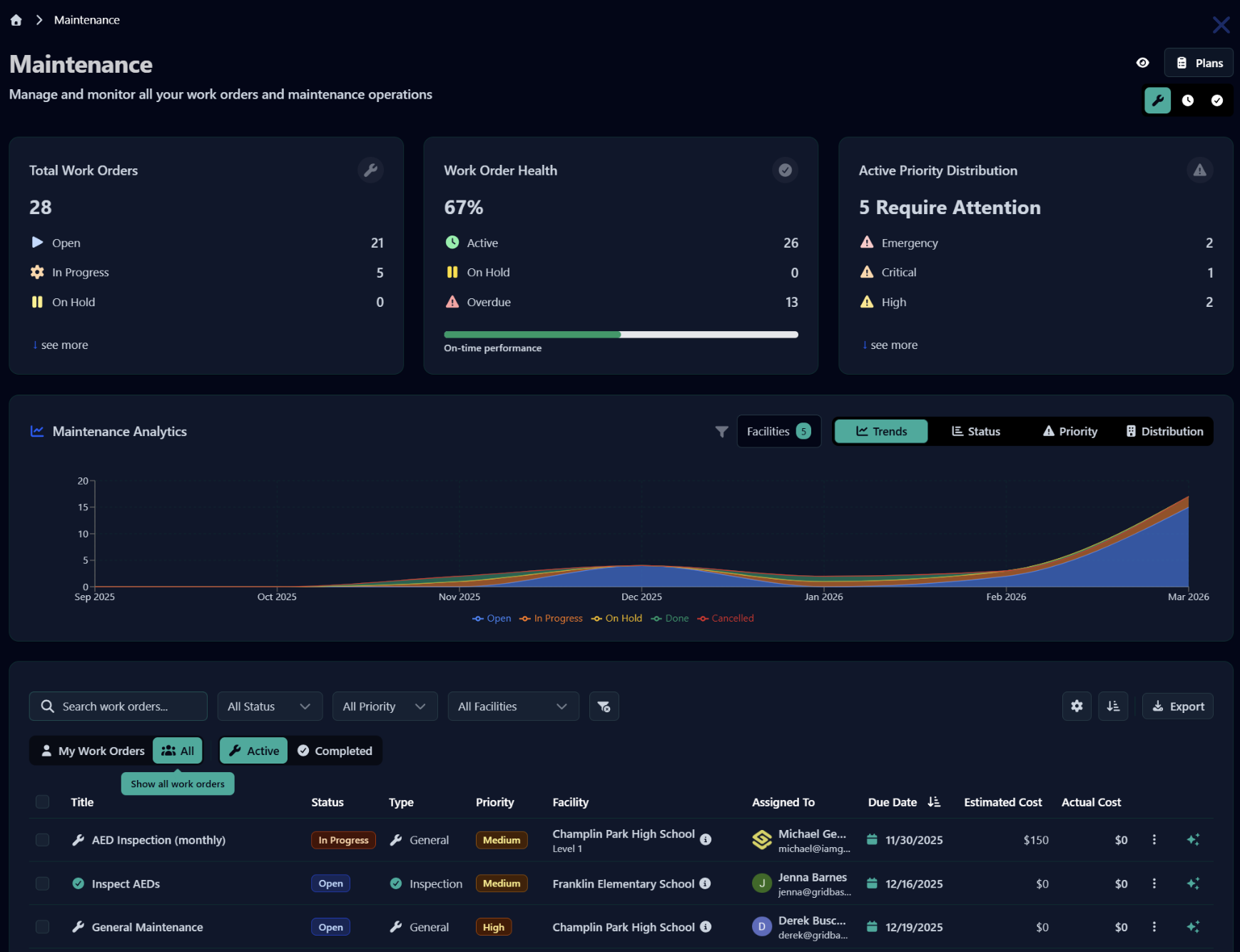
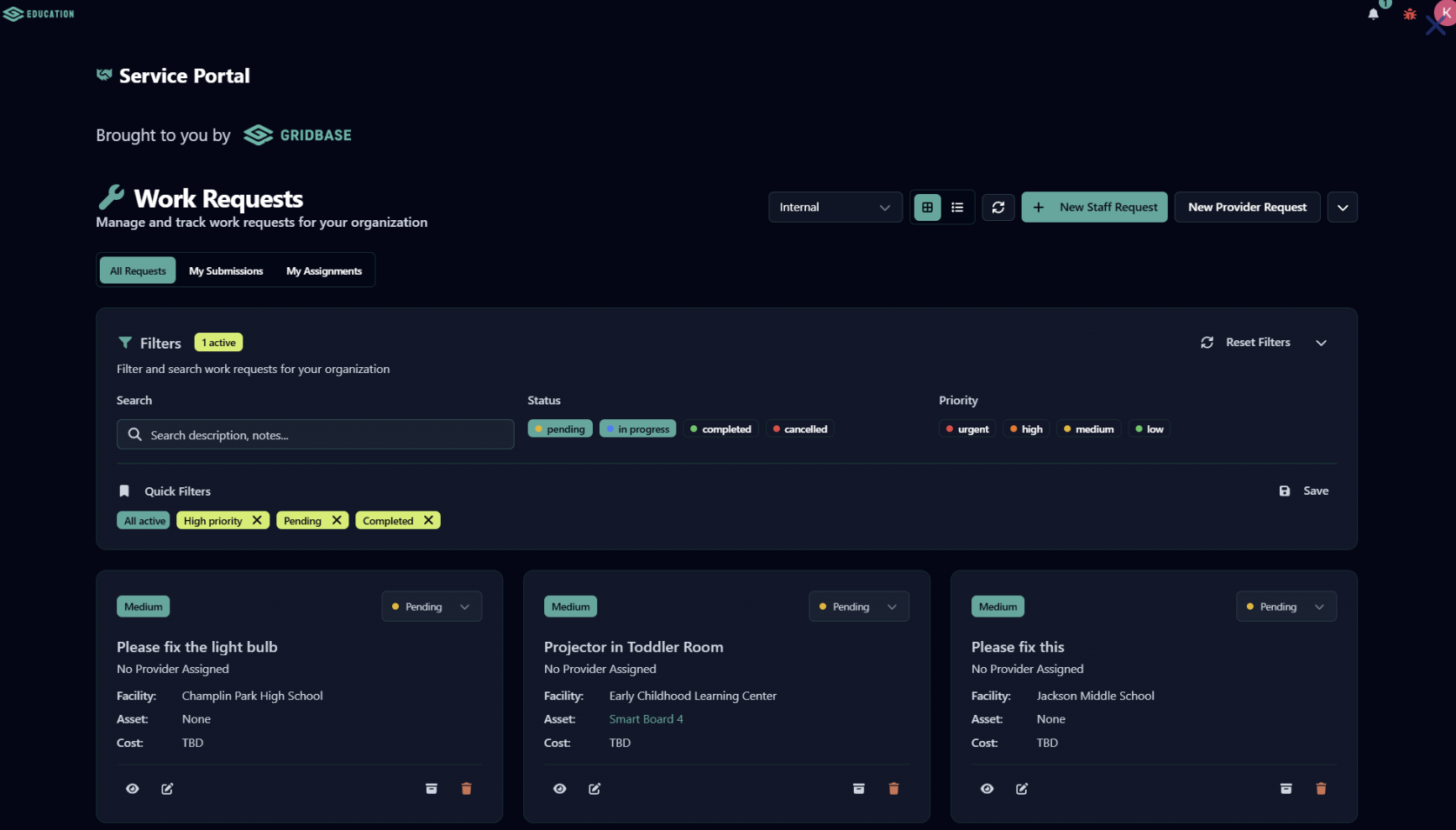
- Mandatory and custom fields on work orders, so incomplete requests no longer default to the wrong building.
- Vendor access, so they can add their HVAC provider as a user and assign them tickets directly.
- Automatic text and email notifications at every stage of a work order, closing the black-hole problem where submitted requests disappeared.
- AI-assisted map building that turns uploaded CAD files, floor plans, or photos into usable building maps, without needing in-house drafting expertise.
- Interactive 2D and 3D maps that let the Brooklyn Center team plot assets, color-code zones, and label rooms.
- QR codes on every asset, tied to a unique, login-protected URL that tracks its location and prevents student misuse.
- Inventory tracking with low-stock alerts, tied to the specific jobs consuming that inventory.
- Recurring maintenance scheduling with pre-populated schedules, matching how the district’s summer cleaning program already repeats annually.
- Mobile, photo-based asset logging that captures a location automatically from a photo, removing a separate data-entry step just to place an asset on the map.
“The mobile app also made it easier for our teams to access information, manage tasks, and provide updates while working throughout the facilities.”
What’s Ahead: District-Wide Rollout
Brooklyn Center’s Gridbase rollout started with a pilot for the elementary school, with expansion to the district’s other buildings contingent on its success.
“Our initial experience showed us that Gridbase could provide greater consistency and transparency in managing our facilities. Its customizability allowed us to tailor the platform to the distinct needs and workflows of each building while maintaining consistent processes across our organization.”
Guttu continued, “Based on that experience and the support we received from the Gridbase team, [we decided] expanding the platform would improve coordination and help us manage multiple buildings more effectively.”
With the pilot a success and foundational usage in place, Brooklyn Center expanded Gridbase into the rest of the district, including a high school and the district headquarters.
Deepening Their Gridbase Usage
Now Guttu’s team is focused on deepening their Gridbase usage. They’re building out comprehensive asset management for items like AEDs, doors, and fire extinguishers, and importing the equipment data from their recent facility study so it finally lives inside a system the team actually uses.
The team also plans to migrate existing work orders and maintenance templates from their old system, digitize outdoor assets (tennis and basketball courts, a stadium, baseball fields, concession stand, and ticket booth), and complete more detailed building digitization.
Gridbase for K-12 Districts
Can Gridbase stop work orders from getting misrouted when staff forget to fill out every field?
Yes. Gridbase supports mandatory and custom fields with dropdown options, so a request can't be submitted incomplete and default to the wrong building. Districts can require the details that matter, like building or room, before a ticket is ever created.
Can outside vendors be added as users in Gridbase?
Yes. Vendors can be added as named individuals or generic placeholder users and assigned tickets directly, so a district's HVAC provider or other outside contractor can be looped into a work order without a phone call or a separate system.
Does Gridbase work with the CAD files or floor plans we already have?
Yes. Gridbase's team uses an AI tool to build interactive maps from uploaded floor plans, whether they're PDF, JPEG, or DWG/CAD files, so districts with existing CAD files don't have to start their maps from scratch.
Will staff and requesters receive updates about a submitted work order?
Yes. Gridbase sends automatic text and email notifications at every stage of a work order, from assignment through completion, so the requestor stays in the loop.
Can Gridbase handle inventory, like tracking cleaning or maintenance supplies?
Yes. Gridbase tracks inventory with low-stock alerts and ties consumption to specific jobs. Districts can even build custom request workflows, like letting staff choose from a defined list of supply options for custodians to fulfill.